 Kiku Hours
Count your comprehensible input hours.
Kiku Hours is a free comprehensible input tracker for Chrome and Firefox. Not the hours a video was open: it works out the language of every video by listening and counts only the immersion hours in the ones you're learning, on YouTube, Twitch, Netflix and six more sites.
106 languages · 9 sites · free, no account · Chrome, Firefox, Brave, Edge and more
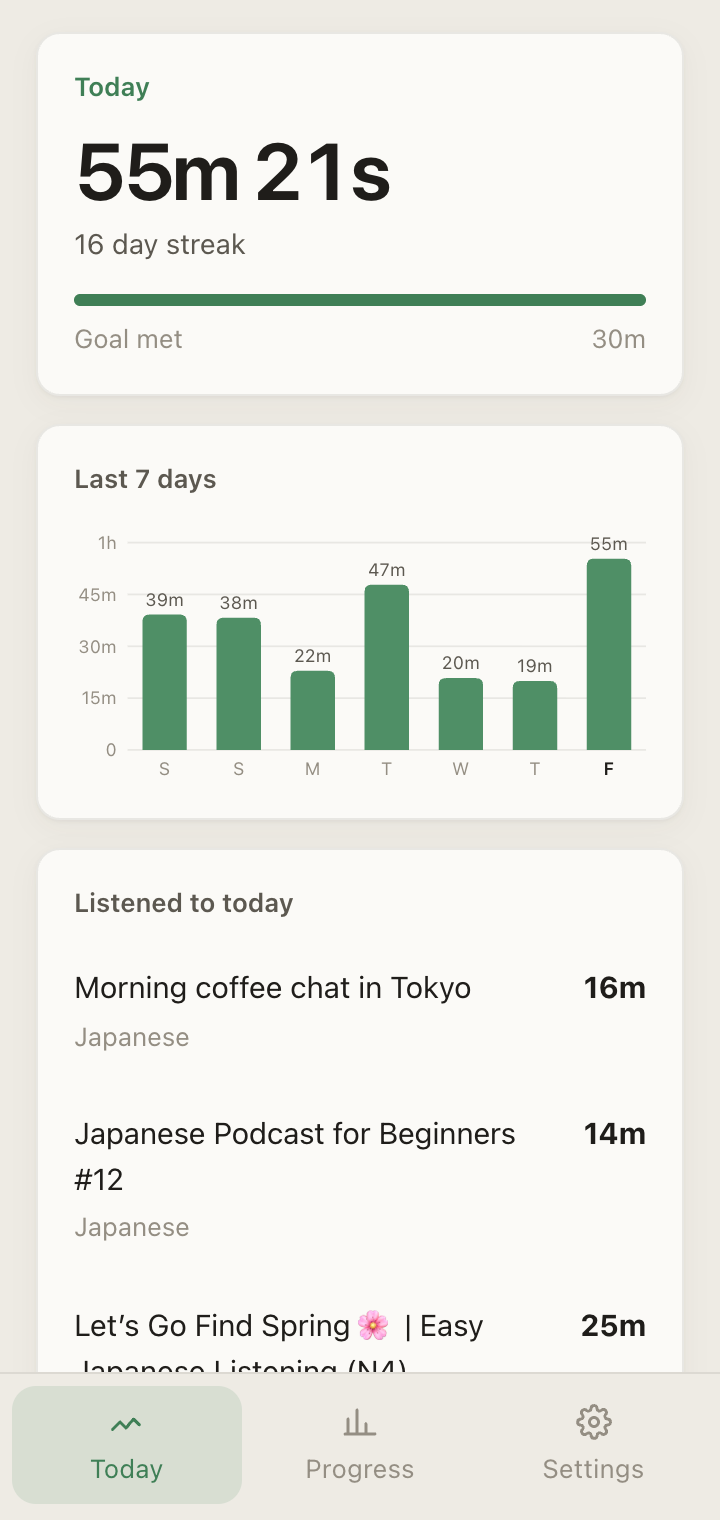
Say what you speak. Press play.
Say what you speak
The languages you already know are recorded but left out. Everything else counts.
Watch like normal
Playback is counted from the player. Ads and pauses aren't.
It listens
Each video is labelled with its language, worked out on your computer from the audio.
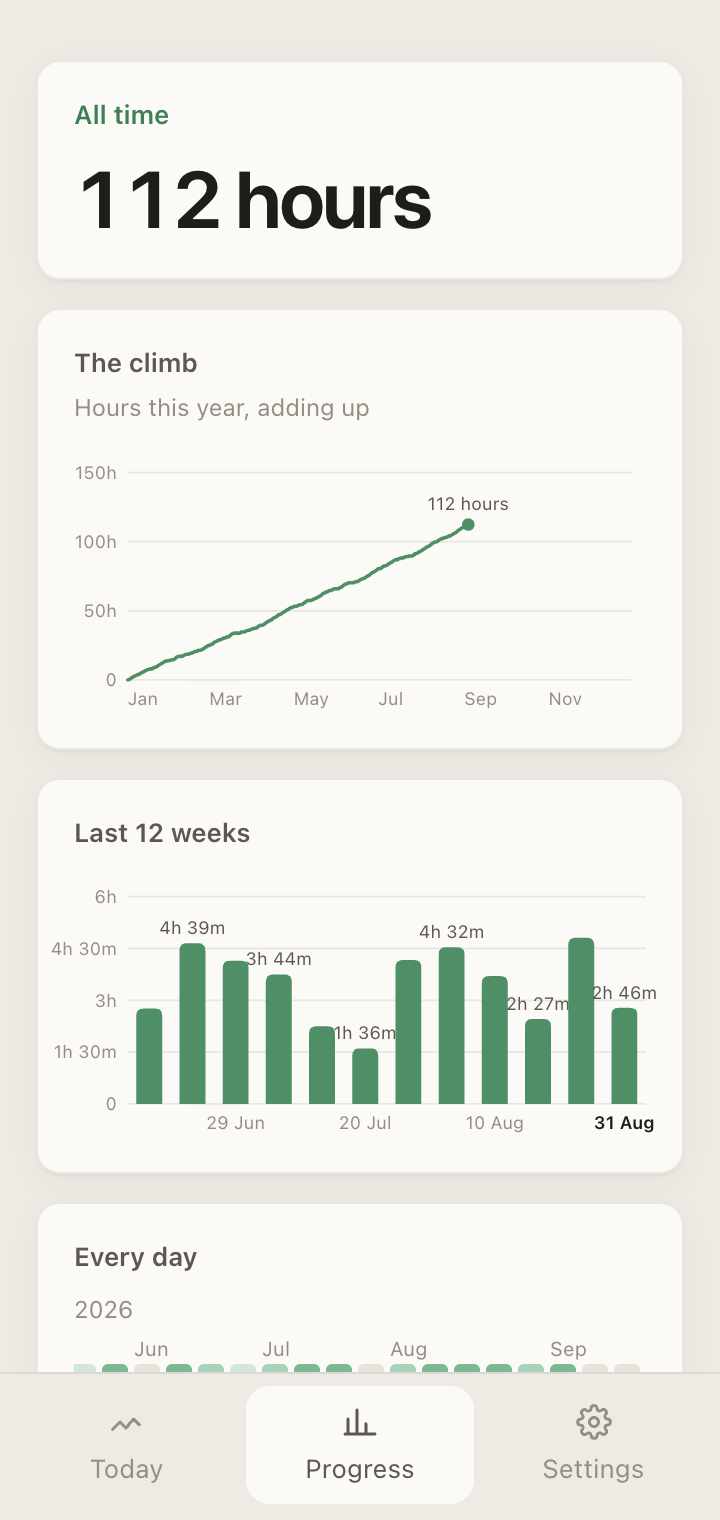
Native-language time is recorded, not counted.
An English video on a Japanese channel goes in the log, but not the total. Nothing is deleted; the held-back time is shown next to the number it came out of, so the parts always add up. That is the difference between minutes watched and input.
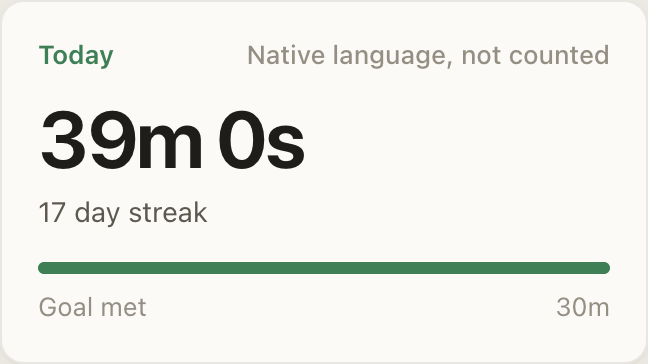
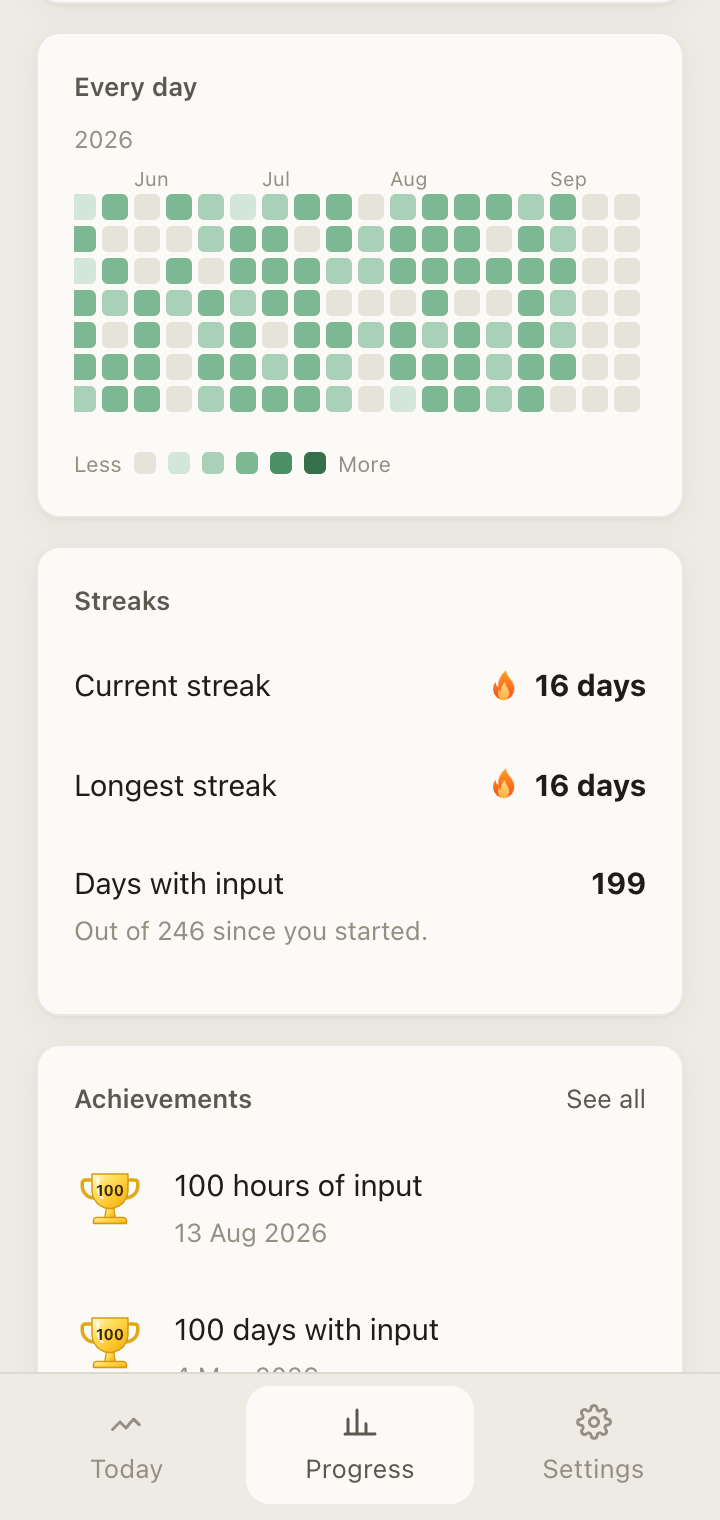
Watch it add up.
A running climb for the year, every day on a calendar, streaks, and achievements dated the day you crossed them. Every figure comes from the same ledger, so no two numbers can disagree.
Every minute is yours, and stays on your machine.
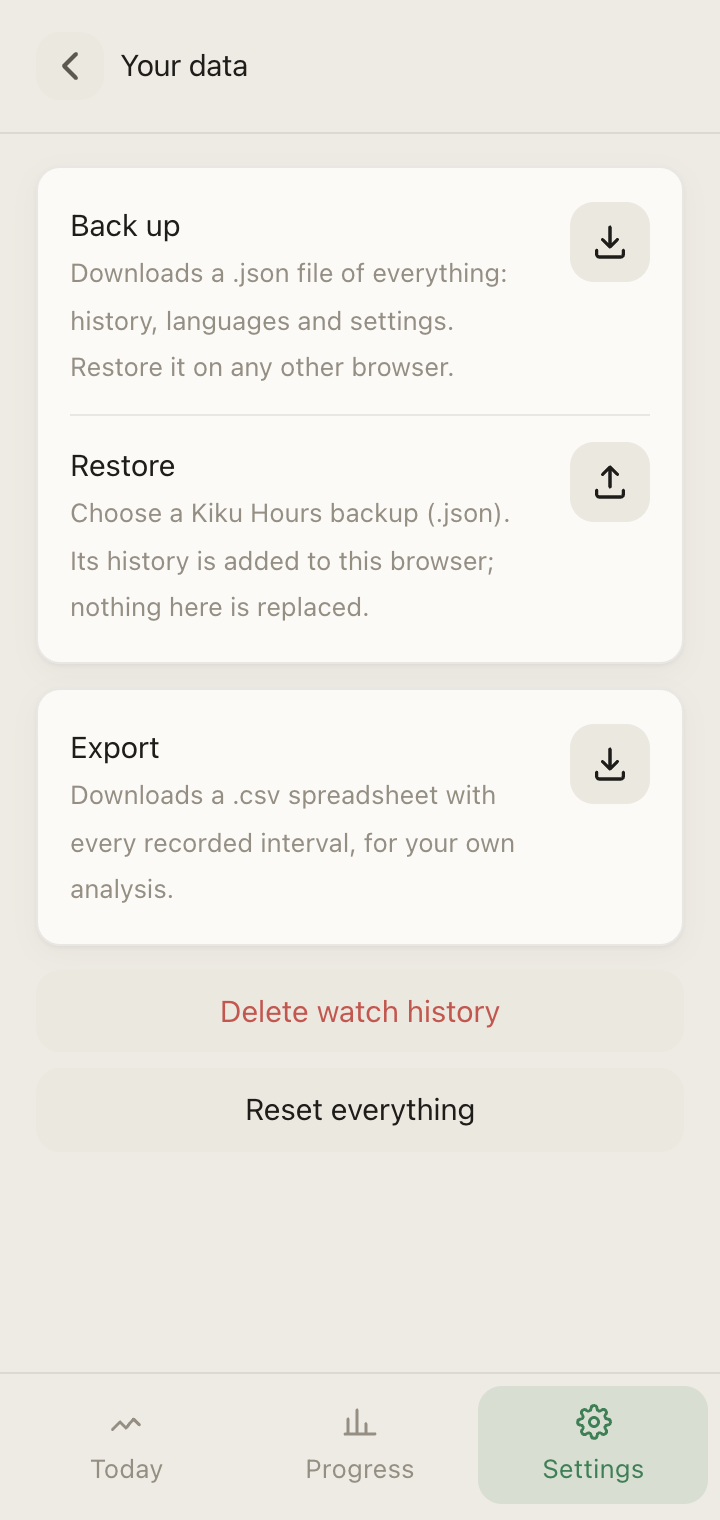
Each interval is stored individually in your browser. Back up to a file and restore it on another computer, or export a spreadsheet. There is no account and nothing to pay. The privacy policy says exactly what leaves your machine, which is nothing you watched.
Nine sites, one ledger.
Crunchyroll, Prime Video and Disney+ are next. It identifies 106 languages by ear, and if something doesn't count when it should, support says what to check.
In the browser you already use
- Chrome
- Firefox
- Brave
- Edge
- Opera
- Vivaldi
- Arc
On a computer. Safari isn't supported.
On counting input honestly.
Immersion trackers compared: what each one actually counts
Spreadsheets, Toggl, LinguaTrackr, TrackMyLang, LangTrack, Track your Input and Kiku Hours, compared by the only thing that matters: how the number is made.
How many hours of comprehensible input do you need?
The hour counts people quote for reaching each level, where they come from, and why the count is only useful if it's honest.
A Japanese immersion tracker that needs no spreadsheet
How to track Japanese immersion hours on YouTube automatically, with a free tracker that keeps counting when you don't feel like logging.
Why 'minutes watched' is the wrong number for learners
Every tracker reports minutes a video was open. For a learner that number hides the three things that actually decide progress.
Straight answers.
What is Kiku Hours?
Kiku Hours is a free Chrome extension that tracks comprehensible input: the hours you spend listening to a language you're learning, counted the way immersion roadmaps mean them. It runs on YouTube, Twitch, Kick, Vimeo, Dailymotion, TED, Bilibili, Niconico and Netflix, reads time from the video player's own clock so that ads, pauses and seeks are never counted and a hidden tab still is, and listens to each video to identify its language, one of 106 it can recognise, entirely on your computer. Video in a language you already speak is recorded but held out of your total, with the held-back time shown beside the number it came out of, so nothing silently disappears. When a video's language can't be identified, its time isn't counted; nothing is guessed. Everything is stored in your browser, with no account, and can be exported, backed up and restored. It runs in Google Chrome, Brave, Edge and other Chromium browsers, and in Firefox, on a computer.
Is it really free?
Yes, and there is no catch to find. There is no account to create, no subscription, no paid tier and no advertising. Everything the extension records stays in your browser, so there is no data to sell and no server bill to pass on. The counting, the language detection, the streaks, the calendar, the achievements, the backup and the export are all included for every user. If Kiku Hours ever has a paid tier it will be for something new, such as a sense of how hard each video was, and never for the counting itself. Nothing you have today will be taken away or put behind a price.
Which browsers does it work in?
Kiku Hours runs in Google Chrome and in the other browsers built on Chromium: Brave, Microsoft Edge, Vivaldi, Opera and Arc; and in Firefox, version 140 or newer, on a computer. Time is counted and languages are identified in all of them. The Firefox version is the same extension, installed from Firefox Add-ons, and opens in Firefox's sidebar rather than a side panel. In every one of them the analysis runs entirely on your computer, so no audio leaves your machine; the privacy policy has the detail. Safari uses a different extension system and isn't supported, and phones aren't either, because a browser extension cannot see what a phone plays. If you use one of the supported browsers and a label never appears on a video, the support page lists what to check and how to reach us.
Where does the audio go?
Nowhere. Kiku Hours never records audio, never stores it and never sends it anywhere. To identify the language, short windows of the video's sound, up to thirty seconds at a time, are analysed on your own computer by a small model that ships inside the extension, then discarded; the only thing kept is the language label for that video. Nothing about what you watch is sent to us either: no video titles, no addresses, no languages, no durations. Your history lives in your browser and nowhere else. The full detail, including the handful of anonymous usage events the extension sends about itself, is in the privacy policy.
Which languages does it support?
106. That includes Japanese, Korean and Mandarin; Spanish, Portuguese, French, Italian, German, Dutch and the Nordic languages; Russian, Ukrainian, Polish, Czech and the other Slavic languages; Arabic, Hebrew, Persian, Turkish, Hindi, Bengali, Tamil and Thai; Vietnamese, Indonesian, Malay and Tagalog; Swahili, Amharic and Yoruba; and many more. You never have to say which one you are learning: the language of each video is worked out by listening, so you can learn several at once and the panel breaks the day down by language. The one thing you declare is the languages you already speak, so their time is held out of the total. Twenty-eight of the 106 have been measured against real recordings, all correctly; the rest rest on the model's published results, and every label still needs two independent checks to agree before it is shown. The full list is at kikuhours.com/languages.
How accurate is the language detection?
Conservative by design. A wrong label that lands on your native language would remove hours from your total, so Kiku Hours would rather say nothing than guess. A label is only shown once two independent checks agree, and until then the time waits: it joins your total the moment the label lands, and never if it doesn't. Measured against recordings in 28 languages, every one was labelled correctly on thirty-second windows, and close pairs such as Italian and Spanish or Korean and Japanese were not confused. The remaining weakness is a voice buried under loud music, which may sit unlabelled for a while; on YouTube the video's own caption language settles those. If a label is ever wrong, the video's address is the most useful thing you can send to support.
What about videos with loud music?
A voice buried under loud music can't be identified from the audio alone, so those videos may go unlabelled, and unlabelled time is not counted. On YouTube, Kiku Hours falls back to the language of the video's auto-generated captions after a couple of minutes, which is YouTube's own reading of the clean audio and usually right, and the time counts from the start of the video once it does. On other sites a video that never gets a label never counts. Background music at a normal level, the kind under most talking-head videos and podcasts, is fine; it is specifically speech that is quieter than the music that defeats it.